
Alternatives to Budgeting App
Explore the best alternatives and competitors to Budgeting App.
Explore 16 alternatives to Budgeting App. Compare features, pricing, and find the best fit for your needs.
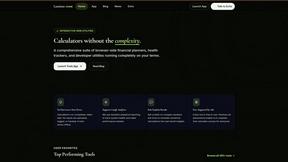
Luminus Tools
A fast, privacy-first suite of online calculators, financial desks, health trackers, and developer utilities running completely in your browser withou


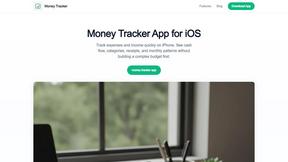
Money Tracker App
Track your cash and snap receipts on iOS with zero bank links or signup, just pure privacy and AI vibes.
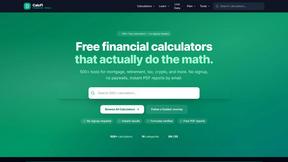
CalcFi
CalcFi is your free, no-signup cheat code for every money decision, with calculators that show the math and cite the IRS.

Redbark
Sync your Aussie bank and brokerage data to Google Sheets and YNAB in real-time, no fuss or manual entry needed.

Ricco - Financial Literacy Game
Level up your money game with Ricco, a lit financial sim that teaches real-world finance through play.
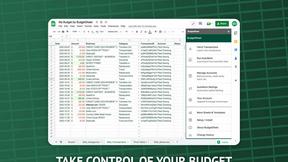
BudgetSheet
BudgetSheet makes it super easy to auto-import your bank data into Google Sheets, no more manual hassle needed!.
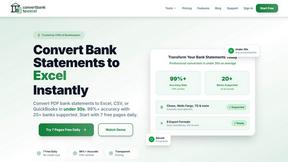
ConvertBankToExcel
ConvertBankToExcel zaps your bank statements from PDF to Excel or CSV in under 30 seconds with over 99% accuracy—no.

ExpenseManager
ExpenseManager makes tracking bills, scanning receipts, and budgeting a breeze for individuals, couples, and groups.
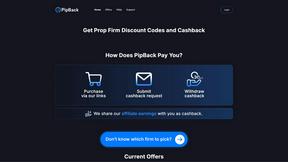
PipBack
PipBack gets you the best prop firm discounts and real cashback to save big on your trading grind.
RydePlan
RydePlan makes car ownership a breeze with AI reminders, cost forecasts, and all your service records in one spot.

CrabClear
CrabClear wipes your data from 1,500+ brokers, keeping spam calls away and your privacy on lockdown.

About Budgeting App Alternatives
So, you’ve been vibing with the whole “track your cash” thing, but maybe your current budgeting app just isn’t hitting the same. Budgeting App - Walleta is basically that chill iOS planner that lets you scan receipts with AI, set monthly spending limits, and keep all your data right on your phone without ever linking a bank account. It’s a solid pick for the privacy squad and people who hate cloud sync vibes, but sometimes you gotta look elsewhere. Maybe the three free OCR tries aren’t cutting it, or you’re on Android and feel left out of the party, or you just want more advanced features without having to drop cash on Pro. Whatever the reason, the hunt is real. When you’re scoping out a new money tracker, keep your eyes peeled for what actually matters to your lifestyle. You want something that doesn’t force you to sign up for another random account or sell your data to the highest bidder, right? Look for tools that offer solid manual logging if you’re not about the receipt life, or maybe a wider range of categories if your spending is more chaotic than fourteen basic buckets. Also, check if it plays nice with your OS version and doesn’t require a PhD in finance to understand the pie charts. The goal is a tool that feels like a sidekick, not a chore—something that keeps you in the loop without demanding your whole financial history.
FAQs about Budgeting App Alternatives
What is Budgeting App?
Budgeting App, also known as Walleta, is a free iOS budget planner and AI expense tracker available on the App Store. It focuses on on-device privacy, allowing users to scan receipts with AI, set monthly spending limits, and view category analytics without ever linking a bank account. The app uses local processing to read merchant names, totals, dates, and categories from receipt photos, which users can verify before saving.
Who is Budgeting App for?
This app is designed for travelers, expats, students, and privacy-first households who want to avoid cloud finance sync or sharing their financial data. It’s also a great fit for anyone using an iPhone running iOS 18.2 or later who prefers manual expense tracking without email signups or ad tracking. The app’s multi-currency support and offline functionality make it especially useful for people with diverse spending habits.
Is Budgeting App free?
Yes, Budgeting App is completely free to download and use for manual expense logging and basic features. It offers three free AI receipt scans using on-device OCR to get you started. For unlimited AI scans and additional premium features, users can upgrade to Walleta Pro, which unlocks the full scanning capability without any per-use limits.
What are the main features of Budgeting App?
Key features include on-device AI receipt scanning that reads merchant, total, date, and category from photos, along with one-tap logging across fourteen categories like food, groceries, transport, and coffee. You get monthly budget caps with real-time progress alerts, plus visual analytics like pie charts, bar graphs, and calendar day views. It also supports multi-currency codes, spending history archives for weekly, monthly, and yearly review, and requires no bank connection or cloud sync.