

Picture Enhancer
No cap, this AI tool deblurs, upscales, and restores your photos for free in your browser with zero downloads needed.
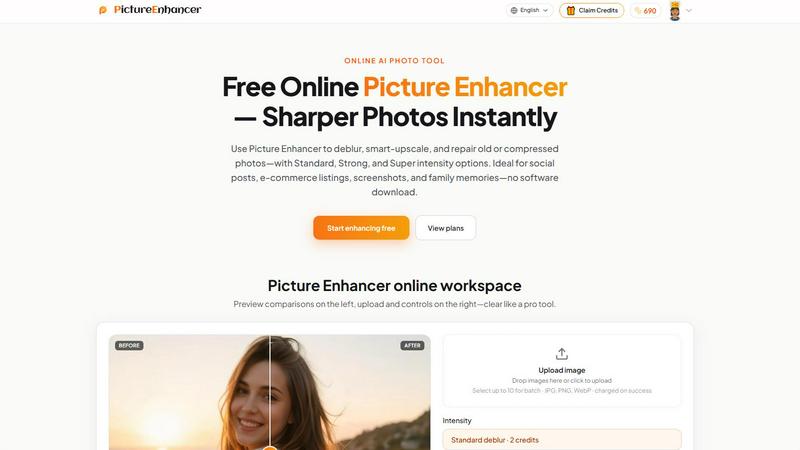
About Picture Enhancer
Picture Enhancer is the free online AI photo tool that lets creators, sellers, and everyday users fix blurry, low-res, or damaged images without any software download or watermark nonsense. Think of it as your personal photo wizard that lives in your browser. You just upload a JPG, PNG, or WebP photo, pick your vibe from Deblur, Upscale, or Restore modes, then choose your intensity level from Standard, Strong, or Super. The AI does all the heavy lifting by rebuilding lost details, sharpening edges, and removing compression artifacts that make your pics look like they came from a 2005 flip phone. Before you download, you get a slick before/after slider so you can see exactly how much better your photo looks. The best part? Guests get three free lifetime tries per IP with zero signup required. If you want more, just sign in and use credits that only get charged when the enhancement actually succeeds. Paid users unlock the Super intensity tiers and can batch enhance up to 10 images at once. Whether you are leveling up your social media game, selling products online, cleaning up screenshots for tutorials, or restoring old family photos, Picture Enhancer has your back. It is fast, secure, and private, with results coming back in seconds. No watermarks, no hidden fees, just sharper photos instantly.
Features of Picture Enhancer
AI Deblur Mode
This mode is an absolute lifesaver when you have photos that came out soft or shaky. The AI rebuilds edges and texture from camera shake, soft focus, and mild motion blur, making faces and text pop again. You can choose Standard, Strong, or Super deblur intensity depending on how messed up your original is. Standard handles minor softness, while Super goes all in on heavy blur. The results are wild, turning blurry messes into crisp, shareable images that look like they were taken with a proper camera.
Smart Upscale Mode
Ever have a tiny image that looks pixelated when you try to use it as a social cover or product hero shot? Smart Upscale mode gives you 2x or 4x enlargement while actually adding detail instead of just stretching pixels. The AI analyzes your image and fills in missing information intelligently, so your small files become big, sharp images ready for print previews or high-res displays. This is perfect for turning those thumbnail-sized product photos into full-size listings that actually look professional.
Old Photo and Damage Restore
Got old scanned family prints with scratches, fade, and compression artifacts? Restore mode is your digital time machine. It reduces scratches, fixes color fade, and cleans up those ugly compression artifacts that ruin vintage photos. Strong and Super restore intensities handle heavier damage, making even badly scanned prints look fresh again. The AI is smart enough to preserve the original character of the photo while removing the junk that distracts from the actual memory.
Batch Enhance for Paid Users
When you are working on multiple images, doing them one by one is a total drag. Paid users can batch enhance up to 10 images at once, saving massive time on projects like e-commerce listings, social media content calendars, or photo restoration sessions. You just upload them all, pick your mode and intensity, and let the AI work through the queue. This feature alone makes the paid plans worth it for anyone who regularly processes multiple photos.
Use Cases of Picture Enhancer
Portraits and Everyday Photos
That selfie you took at golden hour but came out slightly blurry? Or the group photo where everyone is smiling but the camera focused on the background? Picture Enhancer fixes all that. The AI deblur mode cleans up faces, clothing, and background details so your personal photos look polished for Instagram feeds, dating profiles, or family albums. Even mild motion blur gets handled, making your everyday shots look like they were professionally edited.
E-commerce and Product Shots
If you are selling products online, image quality literally affects your sales. Blurry or pixelated product photos make your items look cheap and untrustworthy. Picture Enhancer upscales product detail and tames compression noise so your listings stand out from the competition. Use Smart Upscale to turn small product images into high-resolution hero shots, or Deblur to fix photos taken in less-than-ideal lighting. Your customers will actually see the details that make your products worth buying.
Screenshots and UI Captures
For anyone making tutorials, support threads, or documentation, clean screenshots are non-negotiable. Picture Enhancer sharpens text edges and removes compression artifacts from captured images, making your UI screenshots look crisp and professional. Whether you are showing someone how to use an app or documenting a software bug, the enhanced clarity means your audience actually reads the text without straining. Strong deblur intensity works wonders on screenshots that got compressed during upload.
Old Photo Memories
Family photos from the 90s that have scratches, fading, and weird color shifts? Or scanned prints from your grandparents' album that look like they survived a war? Picture Enhancer restores them beautifully. The Restore mode reduces scratches and fade while preserving the emotional core of the image. Strong and Super intensities handle heavy damage, so even badly degraded prints come back to life. Share those restored memories on social media or print them for family reunions without embarrassment.
Frequently Asked Questions
What is Picture Enhancer?
Picture Enhancer is a free online AI photo tool that deblurs, upscales, and restores images. You upload a JPG, PNG, or WebP photo, choose a mode and intensity, and the AI processes it in seconds. Guests get three free lifetime tries per IP with no signup. Signed-in users use credits that only charge on success. Paid users unlock Super tiers and batch enhancement. No software download, no watermark, no nonsense.
Can I try Picture Enhancer without signing in?
Absolutely. Guests get three free lifetime tries per IP address with zero signup required. You just upload your photo, pick your mode and intensity, and download the enhanced result. No credit card, no email, no commitment. Once you use your three tries, you will need to sign in and use credits to keep enhancing. But those three tries are yours forever, so take your time testing it out.
How does billing work after sign-in?
Once you sign in, you receive starter credits for free. Each enhancement costs credits based on intensity: Standard costs 2 credits, Strong costs 4 credits, and Super costs 6 credits. Credits are only charged when the result succeeds, so you never waste credits on failed jobs. You can buy monthly subscription plans that grant credits each billing cycle, or permanent credit packs that never expire. Super tiers and batch enhancement are paid-user benefits only.
Which modes does Picture Enhancer support?
Picture Enhancer supports three main modes: Deblur, Upscale, and Restore. Deblur rebuilds edges and texture from camera shake, soft focus, and motion blur. Upscale gives you 2x or 4x enlargement with intelligent detail addition. Restore reduces scratches, fade, and compression artifacts from old or damaged photos. Each mode has Standard, Strong, and Super intensity tiers, with Super being exclusive to paid users.
Will downloads include a watermark?
Nope, never. All successful enhancements download completely watermark-free. You get the full, clean result without any branding or watermarks ruining your image. This applies to guest users, free signed-in users, and paid users equally. The only time you do not get a download is if the enhancement job fails, but in that case, you are not charged any credits either.
What is the difference between subscription and permanent credit packs?
Subscription plans give you credits every billing cycle, like a monthly refill. They are great if you enhance photos regularly and want a steady supply of credits. Permanent credit packs never expire, so you buy them once and use them whenever you want, even months or years later. Both unlock Super tiers and batch enhancement. Choose subscriptions for ongoing needs, or permanent packs if you only enhance photos occasionally.
Are my photos safe?
Yes, your privacy is taken seriously. Picture Enhancer uses private processing, meaning your uploaded images are only used to complete your enhancement request. They are not stored, shared, or used for training AI models without your consent. The processing happens securely, and you can download your results immediately. Once you are done, your originals and enhanced versions are handled according to the privacy policy.
Where do I check balance and history?
Signed-in users can check their credit balance and enhancement history in the My Assets section of the website. This shows how many credits you have left, your past enhancements, and allows you to revisit previously enhanced images. It is a handy way to track your usage and manage your credits without guessing how many you have left.
Explore more in this category:
Similar to Picture Enhancer

ImageAgent
Create and edit AI images through conversation, using text or reference images and refining results in chat.

Rhinobird
AI video ads, UGC-style videos, and product visuals for cross-border sellers and e-commerce brands.

GenX
All-in-one AI workspace to generate images, videos, and audio with multiple leading AI models.

AppIconGenerator
Generate iOS and Android app icons from any image and export all platform sizes for free.

picttool
Create and edit images with a collection of easy-to-use AI tools


Design.com AI Image Generator
Turn text prompts into polished, copyright-safe visuals that plug directly into branded templates

Nano AI
Create and edit AI images, generate videos, and compare models in one creative workbench.