
ScanNerd
ScanNerd turns your PDFs and images into high-quality scanned copies for free, all without any hardware hassle.
About ScanNerd
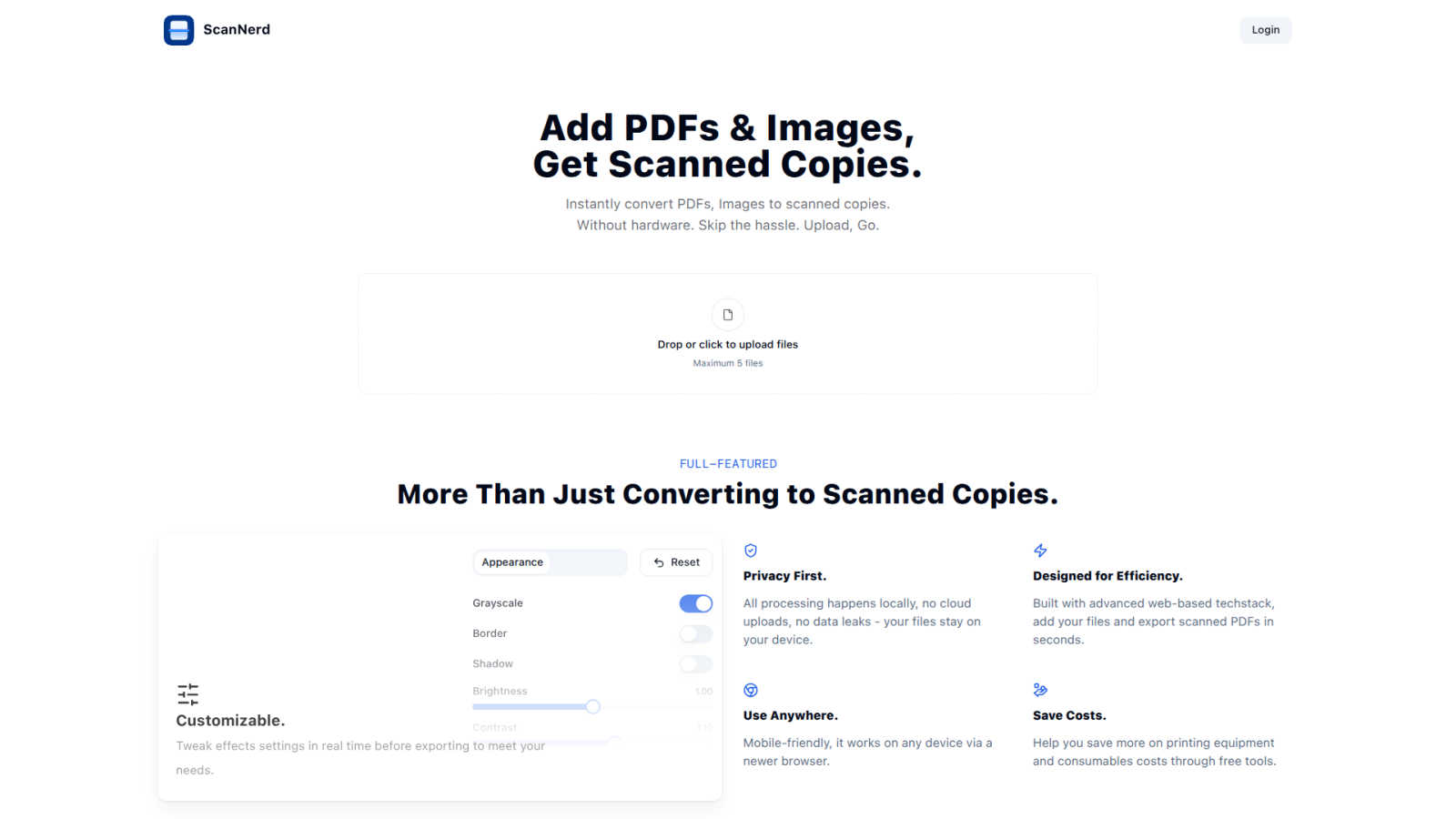
ScanNerd is your ultimate sidekick for giving your digital documents that oh-so-classic scanned look without the need for any fancy hardware. Imagine converting your PDFs and images into scans that look like they came straight from a high-end scanner, all while chilling on your device. No uploads, no sign-ups, and definitely no annoying interruptions. Whether you're a student trying to jazz up a project, a professional sending out reports, or just someone who wants to add a retro vibe to their digital files, ScanNerd is here to save the day. It's designed for efficiency, working its magic in mere seconds while keeping your documents safe and sound on your device. Plus, it’s a total game-changer for anyone looking to save money on printing costs, making it a must-have tool in your digital arsenal. Say goodbye to the old-school scanning hassles and hello to the future of document conversion with ScanNerd!
Features of ScanNerd
Instant Conversion
With ScanNerd, you can toss in up to 5 PDFs or images and watch the magic happen! The tool converts them into stylish scanned copies in just seconds. No waiting around, just instant results, making it perfect for those last-minute projects or reports.
Customizable Effects
Why settle for a basic scan when you can customize? Tweak settings like brightness, contrast, and even add a bit of blur or noise to achieve that perfect retro feel. Preview your adjustments in real-time so you can see exactly how your scans will turn out before you hit export.
Privacy First
ScanNerd takes your privacy seriously. All processing is done locally on your device, meaning no cloud uploads or data leaks. Your files are yours, and they stay on your device, safe from prying eyes.
Mobile-Friendly Design
No matter where you are, ScanNerd has got you covered. It works seamlessly on any device with a modern browser, so you can convert your documents on the go. Whether you’re on your phone or tablet, creating high-quality scanned copies is just a few taps away.
Use Cases of ScanNerd
Student Projects
Students can easily convert their essays, research papers, and presentations into scanned documents that look polished and professional. Impress your professors with that sleek, high-end scanner vibe without the hassle.
Professional Reports
For professionals needing to send out documents that stand out, ScanNerd makes it easy to convert reports into stylish scanned PDFs. Make your files look crisp and sharp, helping you maintain that professional image.
Retro Vibe for Social Media
Want to give your photos or designs a vintage touch for your social media? Use ScanNerd to convert your images into scanned copies that add a unique flair to your posts. Stand out from the crowd with that nostalgic look!
Quick Document Sharing
Need to send a quick document but want it to look legit? Scan your PDFs or images using ScanNerd, and share them instantly. It’s fast, easy, and ensures your files look their best, no matter the context.
Frequently Asked Questions
What's the difference from printing and scanning?
Scanning using ScanNerd creates a digital copy that mimics the look of a printed scan, while printing physically outputs a document on paper. ScanNerd keeps everything digital and stylish, no paper mess involved.
Is it free?
Absolutely! ScanNerd is a free tool, making it accessible for everyone who needs to convert their documents without shelling out cash for expensive hardware.
Which files can be scanned?
ScanNerd supports a variety of file types, mainly focusing on PDFs and images. You can easily upload these formats and convert them into beautifully styled scanned copies.
Is there a file size limit?
Yes, when using ScanNerd, you can upload a maximum of 5 files at a time. However, there are no specific limitations mentioned regarding the size of individual files, making it flexible for your needs.
Explore more in this category:
Similar to ScanNerd

Budgetpixel AI
Create and edit AI images, videos, music, and designs in one workspace, with multiple models, reusable characters, and API access.

@fuck.it - email with attitude
Private email. Pure. Secure. Exclusive. No ads, no tracking, no data selling. GDPR compliant, EU-hosted.

Try OC Maker
Create OCs from text or images, customize their look, and turn them into animated videos with AI.

FreeVideoGenerator
Free AI video generator: turn text prompts and photos into video clips with Sora 2, Veo 3.1, Wan and more. Free starter credits, no watermark download

ImageGenerator
Create and edit AI images online with multiple models, text-to-image, image-to-image, background removal, and upscaling.

Novastart
Apps and files on an infinite canvas where people and AI agents work together.

SightRadar
Face recognition API, a drop-in replacement for AWS Rekognition. Index, search, compare and detect faces, billed per photo with no subscription.

Panzoe
Panzoe is an all-in-one AI platform for personal productivity, business automation, AI assistants, content creation, and custom AI solutions.