
Alternatives to cleanvideoaudio.com
Explore the best alternatives and competitors to cleanvideoaudio.com.
Explore 20 alternatives to cleanvideoaudio.com. Compare features, pricing, and find the best fit for your needs.

Crazy Frog AI
Turn 1–2 photos into the viral Crazy Frog invisible-moped chase video in seconds.
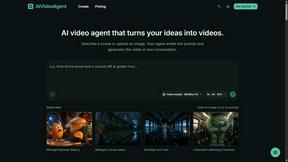
AIVideoAgent
Turn text ideas or reference images into videos through conversation, with agent-assisted prompts and a choice of video models.
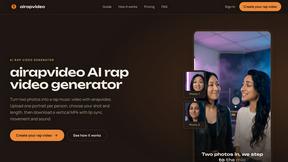
airapvideo
AI rap video generator that turns two portraits into a vertical, lip-synced rap music video. Pick framing and length, get a shareable MP4.

Rhinobird
AI video ads, UGC-style videos, and product visuals for cross-border sellers and e-commerce brands.

GenX
All-in-one AI workspace to generate images, videos, and audio with multiple leading AI models.


Nano AI
Create and edit AI images, generate videos, and compare models in one creative workbench.


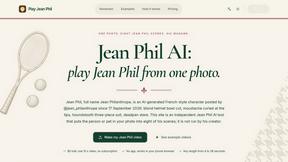

Gas Station Dance AI Generator
Recreate the viral gas station dance from 1 to 3 photos, no filming.



Genjutsu AI
AI video-to-video: Motion Transfer & Object Swap. Preview the credit cost, pay once. No subscription.

Tip Toe AI
Upload a Dancer photo and a Partner photo and get your own AI Tip Toe barn-dance video. Free 5s preview, 12s HD from $4.90. No subscription.

Ozil Goal AI
Turn one photo into the viral Özil goal meme video: you, your dog, a toy or a drawing scores. Free 5s preview, 10s 720p from $4.90. No subscription.

FreeVideoGenerator
Free AI video generator: turn text prompts and photos into video clips with Sora 2, Veo 3.1, Wan and more. Free starter credits, no watermark download
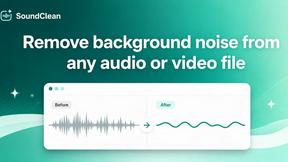

Genjutsu AI Video Editor
AI video-to-video editing for character, outfit, object and visual-style changes guided by your original clip.

About cleanvideoaudio.com Alternatives
Alright, so you’ve probably stumbled across CleanVideoAudio.com, which is basically that browser-based AI sidekick for anyone trying to make their voice sound crispy without dropping a bag on a pro studio. It lives in the Audio & Music and Video categories, and it’s clutch for fixing light background noise like fan hum or that weird room tone that makes your ears sad. But let’s be real—while it’s solid for a quick polish, a lot of folks start hunting for alternatives because the pricing model (paying per video starting at three bucks) can add up fast if you’re pumping out content daily, or maybe you need to handle heavier distortion or music bleed that this tool just isn’t built for. Sometimes you also just want a desktop app that doesn’t rely on your wifi being on its best behavior. When you’re scoping out a replacement, you gotta vibe with what actually matters for your workflow. Look for tools that give you unlimited processing or a flat subscription if you’re a heavy user, because per-video fees are a vibe killer for creators on a grind. Also, check if the alternative can handle more aggressive noise like loud fans or clipped audio, and peep whether it offers real-time previews or batch processing so you’re not clicking “upload” a hundred times. And don’t sleep on the export options—some apps let you keep the video track untouched while others give you standalone audio files, which can be a game-changer depending on your editing setup.
FAQs about cleanvideoaudio.com Alternatives
What is cleanvideoaudio.com?
CleanVideoAudio.com is an online AI tool designed to improve speech clarity in videos by reducing common audio problems like background noise, low volume, muffled voices, and low-frequency rumble. It works entirely in your browser without requiring any editing software or plugins, and it supports MP4, MOV, and WebM files up to 500 MB. The tool is built for quick, one-off audio fixes for content creators who need cleaner sound without a steep learning curve.
Who is cleanvideoaudio.com for?
This tool is ideal for YouTube creators, online course instructors, screencasters, webinar presenters, interviewers, and UGC content creators who record speech-focused videos outside a professional studio. It’s specifically designed for people who need to clean up light background noise like fan hum, room tone, or laptop noise without diving into complex audio editing. If you’re dealing with heavy distortion, loud music, or severely clipped recordings, this probably isn’t your best bet.
Is cleanvideoaudio.com free?
It offers a free 30-second preview of the cleaned audio so you can check the quality before paying anything. After the preview, you need to purchase the full cleaned MP4 export, with pricing starting at $3 for videos up to 5 minutes and $5 for videos up to 20 minutes. There’s no free unlimited plan, but the pay-per-video model lets you test results risk-free before committing your cash.
What are the main features of cleanvideoaudio.com?
The main features include browser-based processing with no software installation, support for MP4, MOV, and WebM files up to 500 MB, and a simple upload-and-choose-cleanup-mode workflow. It preserves the original video track wherever possible while cleaning the audio, and it handles light noise reduction, volume correction, and mild muffling. The standout feature is the free 30-second preview that lets you hear the result before deciding to buy the full export.