
Alternatives to DeepFake
Explore the best alternatives and competitors to DeepFake.
Explore 20 alternatives to DeepFake. Compare features, pricing, and find the best fit for your needs.

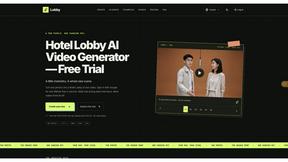
LobbyClip
Turn two portrait photos into short AI duo videos. Choose output settings, generate a clip, and download an MP4.

Bicep Heart
Turn one photo into a 7-second bicep heart video with outdoor, standing or seated scenes and a silent vertical MP4.

Vikas Editor AI
AI creative studio for cinematic portraits, fashion edits, festive greetings, and photo-to-video concepts.

AI Tiny Desk
Make a 19-second desk-concert video with lead and sax, full band, Halloween or pet-band modes; audio and silent MP4.

VD6S
VD6S is a free online YouTube video downloader that supports HD, 4K and up to 8K downloads. Save videos in MP4 or audio in multiple formats.

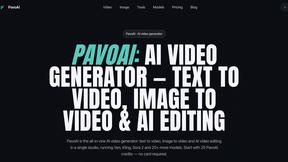
PavoAI
All-in-one AI video studio for text-to-video, image-to-video, editing, avatars, music, subtitles, and upscaling.

Tip Toeing in My Jordans
Put your photo in the viral Rumpelstiltskin tip toe meme and get a 12-second AI video, with an optional friend as the woman in the hay.
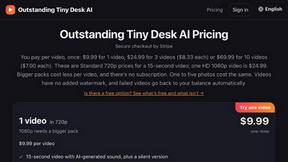
Outstanding Tiny Desk AI
Put you and a friend in the Outstanding Tiny Desk meme: upload photos, get a 15-second 9:16 AI video with sound for TikTok, Reels and Shorts.

Crazy Frog AI
Turn 1–2 photos into the viral Crazy Frog invisible-moped chase video in seconds.
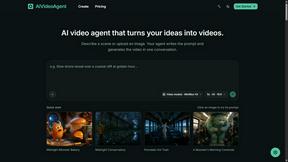
AIVideoAgent
Turn text ideas or reference images into videos through conversation, with agent-assisted prompts and a choice of video models.
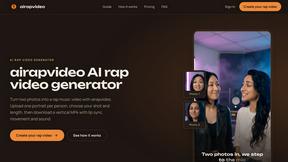
airapvideo
AI rap video generator that turns two portraits into a vertical, lip-synced rap music video. Pick framing and length, get a shareable MP4.

Rhinobird
AI video ads, UGC-style videos, and product visuals for cross-border sellers and e-commerce brands.
GenX
All-in-one AI workspace to generate images, videos, and audio with multiple leading AI models.

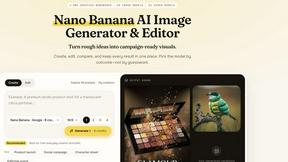
Nano AI
Create and edit AI images, generate videos, and compare models in one creative workbench.


About DeepFake Alternatives
Alright, so you’ve been messing around with DeepFake, the all-in-one AI studio that lets you swap faces, turn images into videos, and even generate music all with consent-based vibes. It’s a solid tool for creators who want to remix reality without stepping into sketchy territory, and it sits right in the video generation and face-swapping scene. But let’s be real, sometimes you hit a wall—maybe the pricing feels a bit steep for your side hustle, the feature set doesn’t quite match your specific workflow, or you just want to see what else is out there that fits your platform better. When you’re hunting for an alternative, you should be looking for something that keeps that same "creator-first" energy: real-time processing, solid face mapping accuracy, and a smooth export pipeline for your clips. You also want to make sure whatever you pick doesn’t sacrifice ethics or security, because nobody wants their face data floating around in the wild. Bottom line, you need a tool that respects consent, keeps the quality high, and doesn’t make you jump through hoops to get your content out the door.
FAQs about DeepFake Alternatives
What is DeepFake?
DeepFake is an all-in-one AI studio designed for creating consent-based deepfake videos, face exchange clips, images, and music. It streamlines workflows like turning a photo, prompt, or reference frame into creator-ready video, image, and audio content. The platform is built specifically to avoid unethical use by focusing on consent-based media generation.
Who is DeepFake for?
DeepFake is built for content creators, video editors, musicians, and digital artists who want to experiment with face swaps, AI-generated visuals, and audio without the ethical baggage. It’s ideal for anyone producing social media clips, parody videos, or marketing content where you need fast, high-quality results. The tool also appeals to hobbyists who want to dive into AI media creation without needing deep technical skills.
Is DeepFake free?
DeepFake is not free; it operates on a paid model, typically with tiered subscriptions or credits for different levels of usage. Pricing is based on the number of outputs you generate, the resolution of your videos, and access to premium features like music generation. While there may be a trial or demo version, full access to the studio requires a paid plan.
What are the main features of DeepFake?
DeepFake packs a ton of features including face swapping for video clips, image-to-video conversion, AI image generation from prompts, and AI music creation. It also supports reference frame-based workflows so you can build consistent characters or scenes. The entire platform is designed for consent-based use, meaning you can only swap faces with permission, keeping everything above board for creators.