
Alternatives to Easymotion - AI Motion Graphic Generator
Explore the best alternatives and competitors to Easymotion - AI Motion Graphic Generator.
Explore 20 alternatives to Easymotion - AI Motion Graphic Generator. Compare features, pricing, and find the best fit for your needs.

Crazy Frog AI
Turn 1–2 photos into the viral Crazy Frog invisible-moped chase video in seconds.

AIVideoAgent
Turn text ideas or reference images into videos through conversation, with agent-assisted prompts and a choice of video models.

Easemic
Open-source Android comic & manga reader with encrypted cloud streaming and AI ad-page stripping.

LaunchIntel
Your AI agent picks relevant directories, submits your product in your browser and tracks every step. One-time purchase.

airapvideo
AI rap video generator that turns two portraits into a vertical, lip-synced rap music video. Pick framing and length, get a shareable MP4.
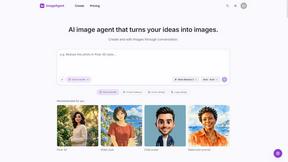
ImageAgent
Create and edit AI images through conversation, using text or reference images and refining results in chat.


ToolVerified
Real people test every tool before it goes live. Real users vote to build the daily charts. No auto-approved links, no broken demos.

Rhinobird
AI video ads, UGC-style videos, and product visuals for cross-border sellers and e-commerce brands.

GenX
All-in-one AI workspace to generate images, videos, and audio with multiple leading AI models.

Bloom
An adaptive AI tutor that turns topics or your materials into courses, lessons, and answers tailored to how you learn.

AppIconGenerator
Generate iOS and Android app icons from any image and export all platform sizes for free.

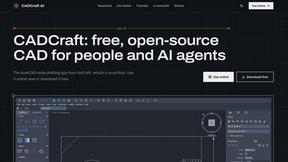

Nano AI
Create and edit AI images, generate videos, and compare models in one creative workbench.




Gas Station Dance AI Generator
Recreate the viral gas station dance from 1 to 3 photos, no filming.

About Easymotion - AI Motion Graphic Generator Alternatives
So you’ve been vibing with Easymotion, the AI motion graphic generator that turns your boring static files into slick animated videos without needing to touch a timeline. It’s basically the cheat code for content creators, founders, and marketers who want SaaS promos, map animations, or flowchart explainers but don’t have the patience for After Effects. That said, sometimes the platform’s pricing model doesn’t hit your budget, or maybe you need a feature set that’s more niche, like deeper 3D support or specific export codecs. When you’re hunting for a replacement, keep an eye on stuff like how many templates are included, whether the AI actually understands your prompts without glitching, and if the export formats match your workflow, because nothing kills the vibe like a 4:5 video when you needed 9:16 for Reels. The real move when shopping around is to test the AI’s ability to handle different input types, like PDFs or spreadsheets, because some tools only shine with images or text prompts. Also, check if the platform lets you edit via chat or if you’re stuck tweaking everything manually, because the whole point of AI is to skip the headache. And don’t sleep on the map animation feature if that’s your jam; some alternatives might only do generic motion graphics and leave your geographic storytelling looking dry. Ultimately, you want a tool that gives you that “wow, I just made this in five minutes” energy without locking you into a subscription that feels like a scam.
FAQs about Easymotion - AI Motion Graphic Generator Alternatives
What is Easymotion - AI Motion Graphic Generator?
Easymotion is an AI-powered motion graphics generator and map animation platform designed for content creators, editors, founders, and marketers. It lets you turn ideas, files, and static visuals into polished animated videos without needing complex timeline editing. The platform supports formats like SaaS product promos, flowcharts, animated charts, UI explainers, and geographic storytelling with flight routes and location pins.
Who is Easymotion - AI Motion Graphic Generator for?
Easymotion is built for content creators, editors, founders, and marketers who need to produce motion graphics and map animations quickly. It’s ideal for anyone who wants to avoid the steep learning curve of traditional animation software while still delivering professional-looking video assets for social media, presentations, or client work. The tool also works well for teams that need reusable video templates for campaigns.
Is Easymotion - AI Motion Graphic Generator free?
The provided content does not specify if Easymotion offers a free tier, but it highlights a premium template library and export options like MP4 and MOV with transparent backgrounds. Typically, AI motion graphic tools like this operate on subscription or credit-based models, so you should check their official site for pricing details. Free trials or limited free versions may be available, but the platform is geared toward paid users who need advanced features.
What are the main features of Easymotion - AI Motion Graphic Generator?
Key features include AI-driven animation generation from prompts, images, spreadsheets, and PDFs, plus a chat-based editing system to adjust colors, pacing, labels, and layout. It also offers a premium template library for motion graphics and map animations, supporting formats like flight routes, location pins, and flag fill highlights. Export options include MP4 and MOV with transparent backgrounds, and aspect ratios cover 16:9, 9:16, 1:1, and 4:5 for different platforms.