
Alternatives to EditTextImage
Explore the best alternatives and competitors to EditTextImage.
Explore 20 alternatives to EditTextImage. Compare features, pricing, and find the best fit for your needs.
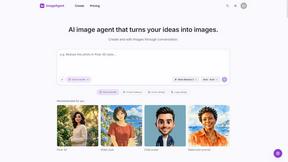
ImageAgent
Create and edit AI images through conversation, using text or reference images and refining results in chat.
GenX
All-in-one AI workspace to generate images, videos, and audio with multiple leading AI models.

AppIconGenerator
Generate iOS and Android app icons from any image and export all platform sizes for free.
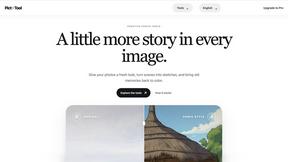
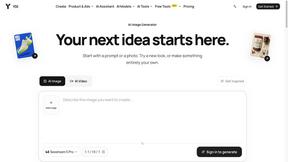

Design.com AI Image Generator
Turn text prompts into polished, copyright-safe visuals that plug directly into branded templates
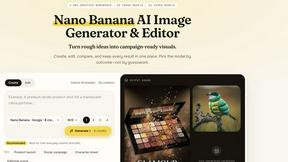
Nano AI
Create and edit AI images, generate videos, and compare models in one creative workbench.
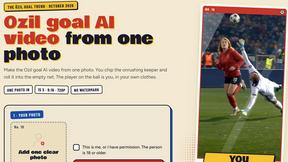
Ozil AI
Ozil AI turns one photo into the famous Ozil goal video. You chip the keeper and score in a 15 second vertical clip with sound and no watermark.

FreeVideoGenerator
Free AI video generator: turn text prompts and photos into video clips with Sora 2, Veo 3.1, Wan and more. Free starter credits, no watermark download
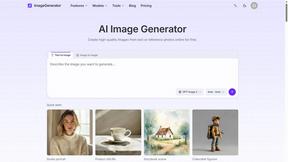
ImageGenerator
Create and edit AI images online with multiple models, text-to-image, image-to-image, background removal, and upscaling.
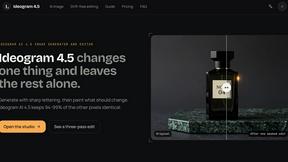
Ideogram 4.5
AI image generation and editing with precise typography, native 2K output, and localized edits.
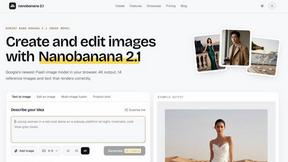
nanobanana 21
Fast, simple AI image studio for creating and editing high-quality images with readable text, consistent characters, and up to 14 reference images.
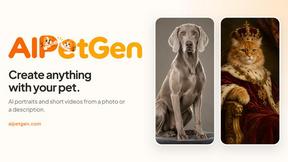
AIPetGen
AIPetGen turns a photo of your dog, cat, or other pet, or a written description, into a new picture or a short animation.
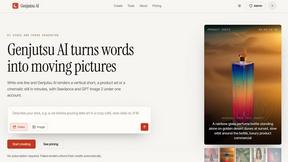
Genjutsu AI
Genjutsu AI turns your ideas into cinematic videos, product ads, social media shorts, and high-quality images in minutes.
ImageGPT
ImageGPT is an all-in-one AI creative platform for generating, editing and transforming images and videos using AI.
AI Album Cover Maker
Create release-ready album covers from a prompt or photo. Generate, refine, and export art for singles, EPs, mixtapes, and playlists.
Sprite Sheet Maker
A free browser-based toolkit for creating, cutting, converting, and previewing sprite sheet animations.


TryKlingAI
Create Kling AI videos from text, images, audio, and motion references with Kling 3.0, Motion Control, Lip Sync, and API access.
About EditTextImage Alternatives
Alright, so you’ve been vibing with EditTextImage—that slick little AI tool that lets you swap out text in any image without needing Photoshop or hunting down some obscure font file. It’s basically a cheat code for designers, marketers, and anyone who’s ever screamed at a typo on a finished poster. It lives in the image generation space, but it’s really its own niche: pixel-perfect text replacement. But let’s be real, sometimes the vibe shifts. Maybe you’re on a budget and those 30 edits for $9.90 ain’t cutting it for your massive content grind, or maybe you need a feature it doesn’t have, like batch processing or a mobile app. Sometimes the platform just doesn’t click with your workflow, or you’re looking for a free tier that actually gives you some breathing room. When you’re hunting for an alternative, you gotta keep your eyes peeled for the real deal-breakers. First, make sure whatever tool you try actually preserves the original font and style from the pixels—if it just slaps a generic sans-serif on there, it’s a hard pass. Look for something that handles complex stuff like drop shadows, gradients, and perspective warping, because that’s where the magic happens. Also, check the output quality; if it’s spitting out blurry 720p images in 2024, you’re wasting your time. Finally, think about your use case: if you’re just fixing a typo once a month, a pay-per-edit model is fine, but if you’re running an agency cranking out dozens of social posts daily, you’ll want something with unlimited edits or a flat monthly fee. Don’t settle for less than 2K resolution and a seamless workflow.
FAQs about EditTextImage Alternatives
What is EditTextImage?
EditTextImage is an online AI-powered tool that lets you edit or replace text within any image without needing the original design file, Photoshop, or any installed fonts. It works by sampling the typeface, color, drop shadow, and perspective directly from the pixels of the existing text, then seamlessly rendering the new text in the exact same style. The whole process takes about 10 seconds and outputs at 2K resolution, making it ideal for fixing typos, swapping dates, or A/B testing headlines on finished images.
Who is EditTextImage for?
EditTextImage is built for anyone who needs to change text in an image but doesn't have access to the original design file or professional editing software. This includes social media managers fixing captions on graphics, marketers updating promotional materials, designers making quick tweaks to mockups, and even regular folks correcting typos in screenshots or product photos. It's especially useful for people who deal with paid fonts or custom hand-lettering that they don't have installed on their computer.
Is EditTextImage free?
EditTextImage offers a free trial where your first edit costs nothing and doesn't require a credit card. After that, it operates on a simple one-time payment model of $9.90 for 30 edits, with no recurring subscription fees. This makes it a budget-friendly option compared to monthly subscriptions for tools like Canva or Photoshop, especially if you only need to edit images occasionally.
What are the main features of EditTextImage?
The core feature is AI-driven text replacement that preserves the original font, color, layout, drop shadow, and even perspective from the source image. It works with any typeface, including paid fonts and hand-lettering, by sampling the style directly from the pixels. The tool is completely online with no software to install, takes roughly 10 seconds per edit, and outputs the final image at 2K resolution for high-quality results.