
Alternatives to OmniGemini
Explore the best alternatives and competitors to OmniGemini.
Explore 20 alternatives to OmniGemini. Compare features, pricing, and find the best fit for your needs.

ImageGPT
ImageGPT is an all-in-one AI creative platform for generating, editing and transforming images and videos using AI.

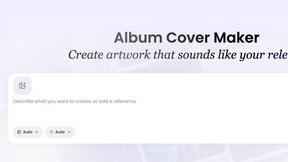
AI Album Cover Maker
Create release-ready album covers from a prompt or photo. Generate, refine, and export art for singles, EPs, mixtapes, and playlists.

Reelslaunch
AI video platform for faceless Reels: cinematic clips with native audio and auto-posting
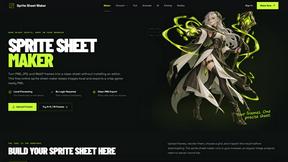
Sprite Sheet Maker
A free browser-based toolkit for creating, cutting, converting, and previewing sprite sheet animations.

ViduAI
Create consistent videos from text, images, up to seven references, or first and last frames with ViduAI, a practical Vidu video generator powered by


Wan Video
Create Wan AI videos from text, images, references, and clips with Wan 2.7 workflows, task history, previews, and API access.
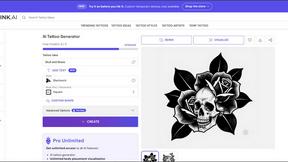

TryKlingAI
Create Kling AI videos from text, images, audio, and motion references with Kling 3.0, Motion Control, Lip Sync, and API access.

Happy Horse AI
AI video generation from text, images, and references with 720P/1080P output, optional audio, task tracking, downloads, and API workflows.

Ideogram Studio
Create text-rich images, logos, posters, ads, packaging, and ecommerce visuals with Ideogram 4 AI workflows and guided prompts.

Hailuo AI
Create high-quality Hailuo AI videos from text or images with guided prompts, motion and camera controls, flexible settings, task tracking, and downlo
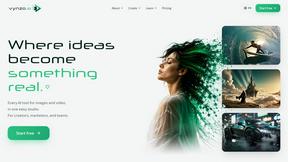
Vynzo
AI image and video studio. Generate from a prompt, animate stills, swap faces, restyle clips and edit — one credit pool, no subscription.
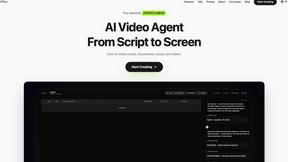
Pixo
Pixo is an AI video director that turns a prompt or script into a storyboard, consistent scenes, voiceover, and an edited final cut.

ProfileLoom
ProfileLoom turns one photo into platform-ready AI portraits for professional, social, and creator profiles, with presets and built-in editing.
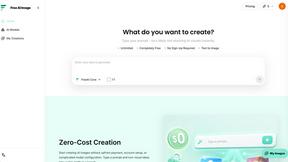
Free AI Image
Free AI Image is a free text-to-image AI generator for creating clean visual drafts from prompts with no sign-up required.

Seedance 2.5
Seedance 2.5 is a multimodal AI video generator by ByteDance for 30-second, high-fidelity cinematic video creation and AI video editing.

Free Gemini Omni
Create, remix, and edit cinematic AI videos online with Free Gemini Omni using text, image, audio, and video prompts.
About OmniGemini Alternatives
OmniGemini is basically that all-in-one AI bestie for creators who want to cook up videos and images without jumping between a million different tabs. It’s a multimodal creation tool that lets you generate, remix, and edit visuals straight from your prompts, reference pics, or random brain sparks, all in one smooth workflow. It sits right at the intersection of video and image generation, plus web design vibes, making it a go-to for turning raw ideas into polished content for the ‘gram, TikTok, product demos, or just flexing your creative muscles. But let’s be real, not everyone vibes with the same tool. People start hunting for alternatives when the pricing feels a bit too steep for their budget, or when they need specific features that OmniGemini might not fully slay—like super niche editing controls, different output styles, or a platform that plays nicer with their existing setup. Maybe you’re a solo creator looking for a free tier, or a studio needing batch processing that just isn’t hitting. When you’re scoping out other options, keep your eyes peeled for ease of use, how fast it spits out content, the quality of the final renders, and whether it supports the exact type of media you’re trying to produce. The right alt should feel like a natural extension of your workflow, not a chore.
FAQs about OmniGemini Alternatives
What is OmniGemini?
OmniGemini is a multimodal AI creation tool that lets you generate, remix, and edit videos and images all within one integrated workflow. It works by turning your text prompts, reference images, and visual ideas into polished content ready for social media, marketing, product showcases, or creative projects. Unlike juggling separate apps, it streamlines the whole process from concept to final output in a single platform.
Who is OmniGemini for?
OmniGemini is designed for creators, marketers, and designers who need to produce AI-generated videos and images quickly without switching between different tools. It’s perfect for social media managers, product teams, and anyone working on creative projects who wants to move from an idea to a finished visual in one smooth workflow. Whether you’re a solo content creator or part of a larger studio, it’s built to save you time and hassle.
Is OmniGemini free?
The provided content does not specify whether OmniGemini offers a free tier or requires a paid subscription. For accurate pricing details, you would need to check the official OmniGemini website or platform directly. Typically, tools in this category offer a mix of free trials, freemium plans, or paid subscriptions based on usage and features.
What are the main features of OmniGemini?
OmniGemini’s main features include generating videos and images from text prompts, remixing existing visuals, and editing content within a single integrated workflow. It allows users to use reference images and ideas as starting points, making it easy to create polished content for social media, marketing, product showcases, and creative projects. The key advantage is that it eliminates the need to switch between separate video, image, and editing tools, speeding up the entire creation process.