
Alternatives to OmniVideo
Explore the best alternatives and competitors to OmniVideo.
Explore 20 alternatives to OmniVideo. Compare features, pricing, and find the best fit for your needs.

LaunchIntel
Your AI agent picks relevant directories, submits your product in your browser and tracks every step. One-time purchase.
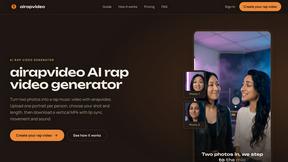
airapvideo
AI rap video generator that turns two portraits into a vertical, lip-synced rap music video. Pick framing and length, get a shareable MP4.


Rhinobird
AI video ads, UGC-style videos, and product visuals for cross-border sellers and e-commerce brands.
GenX
All-in-one AI workspace to generate images, videos, and audio with multiple leading AI models.


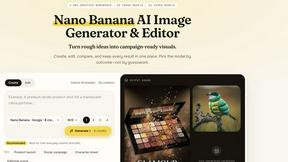
Nano AI
Create and edit AI images, generate videos, and compare models in one creative workbench.


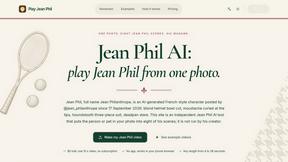

Gas Station Dance AI Generator
Recreate the viral gas station dance from 1 to 3 photos, no filming.



Genjutsu AI
AI video-to-video: Motion Transfer & Object Swap. Preview the credit cost, pay once. No subscription.
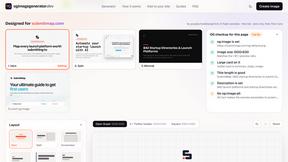
ogimagegenerator.dev
Paste a URL and AI designs on-brand Open Graph images from your page's colours, fonts and logo. Free, no sign-up.

Tip Toe AI
Upload a Dancer photo and a Partner photo and get your own AI Tip Toe barn-dance video. Free 5s preview, 12s HD from $4.90. No subscription.

Ozil Goal AI
Turn one photo into the viral Özil goal meme video: you, your dog, a toy or a drawing scores. Free 5s preview, 10s 720p from $4.90. No subscription.
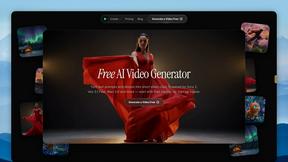
FreeVideoGenerator
Free AI video generator: turn text prompts and photos into video clips with Sora 2, Veo 3.1, Wan and more. Free starter credits, no watermark download

About OmniVideo Alternatives
Alright, so you’ve been vibing with OmniVideo, the AI video generator that lets you turn text prompts, product photos, and reference images into short motion drafts. It’s basically a cheat code for creators, marketers, and ecommerce teams who want to test video ideas without committing to a full-blown production. You can whip up product reveals, social hooks, or explainer clips in minutes, choosing your model, aspect ratio, and duration before burning credits. It’s solid for rapid prototyping, but sometimes the vibe just isn’t hitting—maybe the pricing feels steep for your workflow, the feature set is missing that one specific tool you need, or your platform requires something more niche. That’s why people start hunting for alternatives. Maybe you’re on a tight budget and need a free tier that actually works, or you want more control over video length and quality without watching your credit count like a hawk. Others might need deeper integration with their existing stack, like exporting directly to TikTok or Shopify. When you’re shopping around, look for flexibility in prompt styles (text, image, or both), solid preview costs so you don’t get surprised, and a range of aspect ratios for different platforms. Don’t sleep on the community either—if the tool’s got a Discord full of creators sharing hacks, you’re gold.
FAQs about OmniVideo Alternatives
What is OmniVideo?
OmniVideo is an AI video generator that turns text prompts, product photos, reference images, and campaign notes into short motion drafts. It helps creators, marketers, and ecommerce teams quickly test video ideas before investing time in editing, shooting, or paid media. You can create both text-to-video and image-to-video drafts with customizable models, aspect ratios, duration, and quality settings.
Who is OmniVideo for?
OmniVideo is designed for creators, marketers, ecommerce teams, and founders who need to prototype video concepts fast. It’s especially useful for product reveals, social media hooks, marketplace motion graphics, explainer clips, creator briefs, and launch review videos. Anyone who wants to skip traditional pre-production and jump straight into testing visual ideas will find it valuable.
Is OmniVideo free?
OmniVideo likely operates on a credit-based system where users preview credit costs before generating a video. While the provided content doesn’t specify a free tier, many AI video tools offer limited free credits for new users to test the platform. You should check their pricing page for the most current details on free usage or subscription plans.
What are the main features of OmniVideo?
Key features include text-to-video and image-to-video generation, the ability to choose different AI models, plan aspect ratios, set video duration and quality, and preview credit costs before hitting generate. It also supports input from product photos, reference frames, and campaign notes, making it versatile for rapid prototyping across different video styles.