
Alternatives to QUVIAI
Explore the best alternatives and competitors to QUVIAI.
Explore 20 alternatives to QUVIAI. Compare features, pricing, and find the best fit for your needs.
ImageGenerator
Create and edit AI images online with multiple models, text-to-image, image-to-image, background removal, and upscaling.
Ideogram 4.5
AI image generation and editing with precise typography, native 2K output, and localized edits.
nanobanana 21
Fast, simple AI image studio for creating and editing high-quality images with readable text, consistent characters, and up to 14 reference images.
AIPetGen
AIPetGen turns a photo of your dog, cat, or other pet, or a written description, into a new picture or a short animation.
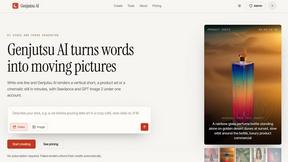
Genjutsu AI
Genjutsu AI turns your ideas into cinematic videos, product ads, social media shorts, and high-quality images in minutes.
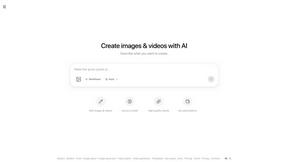
ImageGPT
ImageGPT is an all-in-one AI creative platform for generating, editing and transforming images and videos using AI.
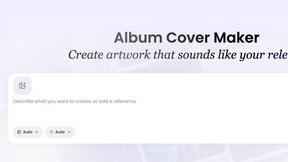
AI Album Cover Maker
Create release-ready album covers from a prompt or photo. Generate, refine, and export art for singles, EPs, mixtapes, and playlists.
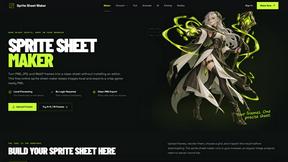
Sprite Sheet Maker
A free browser-based toolkit for creating, cutting, converting, and previewing sprite sheet animations.

TryKlingAI
Create Kling AI videos from text, images, audio, and motion references with Kling 3.0, Motion Control, Lip Sync, and API access.
Ideogram Studio
Create text-rich images, logos, posters, ads, packaging, and ecommerce visuals with Ideogram 4 AI workflows and guided prompts.
Hailuo AI
Create high-quality Hailuo AI videos from text or images with guided prompts, motion and camera controls, flexible settings, task tracking, and downlo
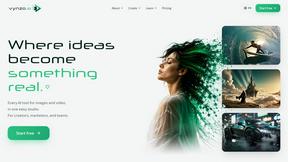
Vynzo
AI image and video studio. Generate from a prompt, animate stills, swap faces, restyle clips and edit — one credit pool, no subscription.

ProfileLoom
ProfileLoom turns one photo into platform-ready AI portraits for professional, social, and creator profiles, with presets and built-in editing.
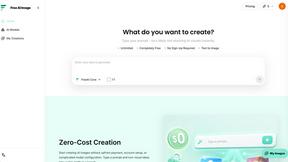
Free AI Image
Free AI Image is a free text-to-image AI generator for creating clean visual drafts from prompts with no sign-up required.
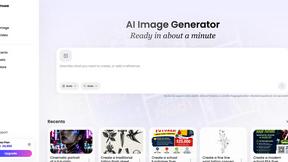
Vismuse
Create polished AI images and videos from prompts or references for social posts, ads, flyers, album covers, and campaigns.
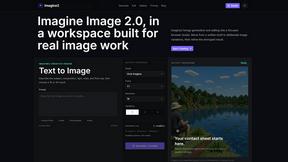
Imagine2
Private browser-based AI image generation and editing with text-to-image, targeted edits, and multi-image references.
Kogashitsuka AI
An online AI image tool that enhances photos and illustrations at their original size or upscales them by 2x or 4x.
Trushot AI
TruShot creates ultra-realistic AI dating photos from just 4 selfies. Generate natural-looking, verification-friendly profile pictures for Tinder, Hin
About QUVIAI Alternatives
Alright, so you’ve heard the hype around QUVIAI, right? It’s that all-in-one AI beast that lets architects, designers, and creators turn a random napkin sketch into a photorealistic render, a cinematic video, or even a full 3D object. It even whips up original music to set the vibe. Basically, it’s the Swiss Army knife of creative AI tools, sitting smack in the middle of the Image Generation category. You upload your stuff, type in a prompt, and bam—you get visuals that look like they took a week to render. It’s slick, but it’s not always the perfect fit for everyone. So, why are people ditching it or looking for other options? The biggest reasons usually boil down to pricing (that free trial runs out fast), a feature set that might be overkill for a simple job, or maybe you just need a tool that vibes better with your specific workflow. Some folks want something hyper-focused on just 3D modeling without the music fluff, while others might be on a tight budget and need a freebie that still slaps. When you’re hunting for an alternative, keep your eyes peeled for what actually matters to you: is the render quality fire? Does it support the file types you use daily? Is the learning curve more of a gentle slope than a vertical cliff? Don’t just grab the first shiny tool you see—match the features to your actual grind.
FAQs about QUVIAI Alternatives
What is QUVIAI?
QUVIAI is an all-in-one AI-powered creative platform that generates photo visuals, 3D models, and music from your inputs. It’s designed to be a one-stop shop for creators, letting you upload sketches, images, or 3D models and transform them into photorealistic renders, cinematic videos, and floor plan visuals. It also features a built-in 3D workspace for modeling and editing without needing to switch between different software tools.
Who is QUVIAI for?
QUVIAI is built specifically for architects, designers, and digital creators who need to rapidly visualize concepts. It’s perfect for professionals who want to turn rough sketches into polished, client-ready renders or generate cinematic walkthroughs from start and end frames. Hobbyists and indie creators will also find it useful for staging furniture, generating decorative objects, and adding original music to their projects.
Is QUVIAI free?
Yes, QUVIAI is available to try for free at quvi.ai, allowing you to test out its core features before committing to a paid plan. The free tier gives you a taste of the AI rendering, 3D workspace, and music generation capabilities. However, like most premium creative tools, full access to higher resolutions, longer videos, or commercial usage likely requires a subscription.
What are the main features of QUVIAI?
QUVIAI packs a ton of features including AI-powered photorealistic rendering, cinematic video generation, multi-angle views, and floor plan renders. It has a built-in 3D workspace where you can model, edit scenes with text prompts, and generate furniture or decorative objects to stage your project. You can also produce cinematic walkthroughs and generate original music to accompany your visuals, all without leaving the platform.