
Cosy vs Playwriter
Side-by-side comparison to help you choose the right AI tool.

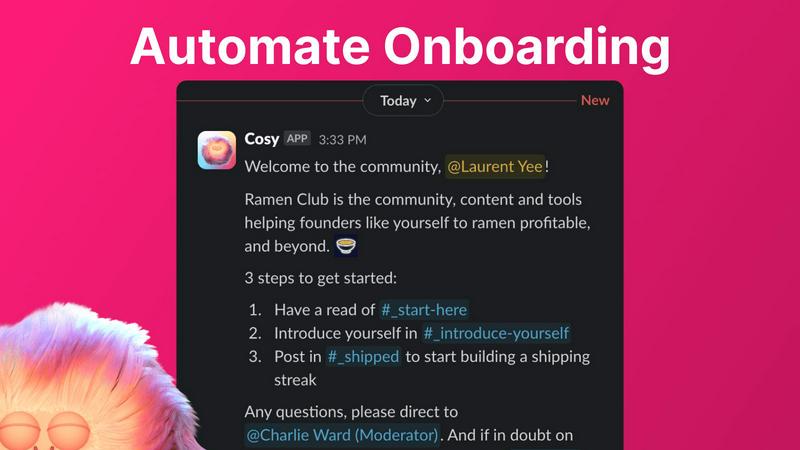
Cosy automates Slack intros and onboarding so your community vibes while you chill.
Last updated: February 28, 2026

Visual Comparison
Cosy
Playwriter

Overview
About Cosy
Alright, community heroes, listen up. You're out here trying to build an actual vibe in your Slack workspace, but between the endless "hellos," the awkward intros, and trying to figure out who knows what, you're burning the candle at both ends. Enter Cosy. Think of it as your ultimate Slack sidekick, a native bot designed to automate all the tedious stuff so you can focus on the magic. Built specifically for community managers, Cosy turns your standard Slack into a buzzing, connected community hub without you needing to be online 24/7. It handles the grunt work: automating personalized welcome DMs for new joiners, making cool intros between members, and even surfacing the most fire content so nothing gets lost. It gives your community a searchable directory right inside Slack, so people can actually find each other. The best part? It works while you sleep. Whether you're running a tight-knit crew of 50 or a massive server with hundreds, Cosy is here to take the manual labor off your plate, boost engagement on autopilot, and finally give you back those precious hours every week. It's like having a super-organized, never-tired co-manager that lives in your Slack.
About Playwriter
AI agents cannot browse the web properly. They either have no browser access, or they get a fresh Chrome with no logins, no extensions, and instant bot detection. Playwriter gives them your actual browser session instead. One Chrome extension, full automation API, everything you are already logged into. Includes accessibility snapshots (5-20KB instead of 100KB+ screenshots), a debugger with breakpoints, live code editing, network interception, and video recording. Works with any MCP client: Cursor, Claude, VS Code, and more. Open source, MIT licensed.