
Decode This Text vs Updaytr
Side-by-side comparison to help you choose the right AI tool.

Decode This Text
Stop overthinking texts and get the real tea on any confusing convo in 30 seconds flat.
Last updated: February 28, 2026

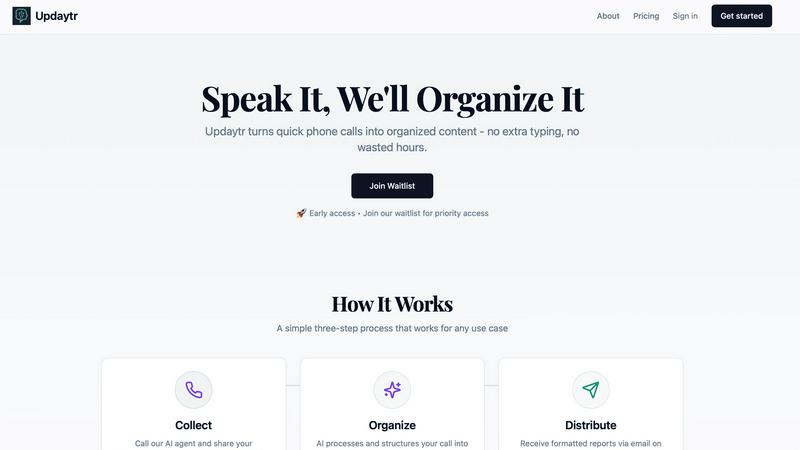
Updaytr
Ditch the meetings, your team just phones in updates and our AI sorts it all out.
Last updated: March 1, 2026
Visual Comparison
Decode This Text

Updaytr
Feature Comparison
Decode This Text
Screenshot Sleuth
Why type it all out when you can just snap and drop? This feature lets you upload a photo of your text thread, and the AI does all the reading for you. It scans the whole conversation—timestamps, read receipts, the works—so you don't miss a single clue. Perfect for when the drama is too long to copy-paste or you're just feeling lazy. It's like having a super-sleuth bestie who can read between the lines of your screenshot gallery.
Tone Detective
Is that "K." actually okay, or is it a declaration of cold, silent war? The Tone Detective feature measures the emotional temperature of any message. It analyzes word choice, punctuation, and context to tell you if someone is being friendly, sarcastic, passive-aggressive, or just genuinely chill. Stop wasting mental energy trying to guess if they're mad; get the cold, hard data on the vibe instead.
Pattern Recognition Bot
This AI doesn't just look at one text—it spots the sneaky patterns you might be blind to because you're in the thick of it. Does this person only text you after midnight? Do they consistently avoid answering direct questions? Are their replies getting shorter and drier? The Pattern Recognition Bot connects the dots and points out these red (or green!) flags, so you see the bigger picture, not just the latest confusing message.
Response Generator
Staring at the keyboard with no idea what to say back? We've got you. Based on its analysis, Decode This Text gives you three tailored response options. Want to play it cool and calm? Need to be direct and clear? Or is it time to set a firm boundary? Pick your vibe and send a reply that actually matches the situation, without the anxiety of wording it perfectly yourself. It's your cheat code for confident communication.
Updaytr
Phone-In Updates, Zero Fuss
Your team doesn't need another app to ignore. They just call a number from any phone—cell, desk, potato, whatever—and talk to our friendly AI agent. Spill the beans on your progress, your wins, your blockers, and hang up. That's it. No typing, no forms, no extra steps. It's the lowest-friction way to get updates from the field, period.
AI That Actually Listens & Organizes
This isn't some dumb transcription bot. Updaytr's AI is smart. It remembers context from previous calls, asks intelligent questions to fill in the blanks, and then auto-magically tags and organizes updates by project, client, or team. It structures the chaos of daily chatter into something that actually makes sense, so you're not left deciphering a word salad.
Beautiful, Automated Reports
Say goodbye to reports that look like they were formatted in a cave. Updaytr transforms raw conversation into polished, professional reports delivered straight to stakeholders' inboxes. You control the schedule: get 'em instantly, in a daily digest, or a weekly recap. Managers stay informed without having to chase people down. It's pure, automated bliss.
Built for Real-World Teams
This isn't just for tech bros in Silicon Valley. Updaytr is crafted for the grinders: construction supervisors, HVAC techs, sales reps on the road, delivery drivers. It understands the lingo and the workflow of hands-on industries. Set up your team in minutes, assign numbers, and you're rolling. It's the sidekick your field team never knew they needed.
Use Cases
Decode This Text
Dating App Decoder
They said "had fun last night" but then ghosted for 48 hours. Are they actually busy, or are they fading on you? Paste in those vague "we should hang sometime" messages or the slow-fade convo to decode their real level of interest. Stop waiting by the phone for clues and get a straight-up analysis on whether you should double-text or just delete their number and move on.
Workplace Whisperer
Did your boss just send a one-word email? Does "We'll keep your resume on file" actually mean anything? Use Decode This Text to navigate professional minefields. Understand the true tone of terse Slack messages, decode passive-aggressive feedback, and even get help crafting a polite but firm "no." Save yourself from workplace anxiety and reply like a pro.
Friend & Family Drama Diffuser
Did the group chat go dead silent right after you sent that one message? Is your sibling being weirdly short, or are you just paranoid? Paste the awkward family thread or the sus message from a friend to figure out the subtext. Get clarity on social dynamics without having to confront anyone directly, and find the best way to smooth things over or know when to just let it go.
Pre-Send Reality Check
You've drafted a novel. It's emotional. You're about to hit send after a weird fight. PAUSE. Paste your drafted message into Decode This Text first for an instant reality check. The AI will analyze the tone and potential impact, acting like that wise older sibling who tells you, "Maybe sleep on it." It's saved countless people from sending texts they'd regret forever.
Updaytr
Construction Crews & Site Supervisors
Ditch the clipboard and the end-of-day chaos. Foremen and crew leads can call in quick progress reports, safety notes, or material needs from the job site. Updaytr organizes it all by project and sends a clean summary to the main office and project managers, keeping everyone aligned without a single site meeting.
Field Service Technicians (HVAC, Plumbing, etc.)
After finishing a job, instead of typing up a service report on a tiny tablet, your tech just calls it in while driving to the next client. They describe the work done, parts used, and customer notes. Updaytr formats it into a professional report and sends it to dispatch and the customer automatically. More jobs done, less admin time.
Sales Teams on the Road
Sales reps can do a quick voice debrief after a client visit right from their car. Share key takeaways, next steps, and competitive intel. Updaytr captures it all, tags it by client and opportunity, and pops a summary into the CRM or the sales manager's inbox. No more forgotten details or late-night data entry.
Independent Contractors & Solopreneurs
Even if you're a team of one, staying organized is key. Use Updaytr as your personal log for daily tasks, project milestones, or client communications. Call in your notes and get a well-organized summary for your records or to share with clients. It's like having a personal assistant for the price of a phone call.
Overview
About Decode This Text
Ever gotten a text that made you go "????" and then spend the next hour spiraling, overthinking every single word, punctuation mark, and how long it took them to reply? Yeah, we've all been there. Decode This Text is your personal BS translator and sanity-saver for exactly those moments. It's the AI-powered wingman (or wing-woman) that cuts through the vague texts, confusing emails, and ghosting drama to tell you what's really going on. Just paste the sketchy convo, upload a screenshot, or even just describe the messy situation. In like, 30 seconds flat, you'll get the full tea: a breakdown of their hidden intentions, the real emotional tone (are they being shady or just busy?), and even smart, non-cringe ways to hit 'send' back. It's perfect for anyone who's tired of playing detective in their DMs, wants to avoid sending that 3am "u up?" text they'll regret, and just wants to communicate with total confidence. No more group chats blowing up with "WHAT DOES THIS MEAN?!"—get your clarity privately and keep your cool.
About Updaytr
Alright, let's get real. Meetings are the worst, and paperwork is a soul-sucking chore. Updaytr is here to yeet both into the sun. Think of it as your team's AI-powered hype-man that turns boring, rambling phone calls into slick, professional reports. No apps to download, no typing—your crew just picks up any phone (yes, even that ancient landline collecting dust) and starts talking. It's built for anyone with people in the field: construction bosses, sales squads, service techs, you name it. The main vibe? Your team stays locked in on doing the actual work, while Updaytr's AI handles the boring admin stuff. It remembers your last convo, asks smart follow-ups to get the full tea, and then magically formats everything into a report that doesn't look like it was written by a robot. You get to choose when reports land—instantly, daily, or weekly—so managers are in the loop without being micromanaging nightmares. It's basically content creation, but you just have a chill conversation instead. Team updates, minus the meetings. Let's go.
Frequently Asked Questions
Decode This Text FAQ
Is my data private? Does a human read my texts?
Nope, and nope! 100% anonymous. No human ever lays eyes on your conversations. Your texts are processed securely by our AI to give you that genius analysis. Your drama stays your business. We're like a vault for your venting.
How accurate is the analysis?
It's scarily good, like talking to that one friend who's always right about people. The AI is trained on massive amounts of communication patterns, so it's expert at spotting hidden tones and intentions. It's not a mind-reader, but it's the next best thing—a pattern-reading pro that gives you a perspective you're probably too close to see.
What if I don't have the exact text, just a situation?
Totally fine! You don't need a perfect transcript. Just describe what happened in your own words: "We went out, they said they'd text, it's been 3 days." The AI is great at working with context and your description to still give you solid insights and advice on how to handle the murkiness.
Is this just for romantic stuff?
Not at all! While it's a lifesaver for decoding dating app lingo and situationships, it's just as powerful for confusing work emails, vague texts from friends, or stressful family group chats. Any communication that leaves you scratching your head is fair game for decoding.
Updaytr FAQ
Do my team members need to download an app?
Nope! That's the whole magic. Zero apps required. They use any phone—smartphone, flip phone, office landline—to call in. It works with the technology they already have and know how to use. Maximum simplicity, maximum adoption.
How smart is the AI really?
It's legit. It's not just transcribing; it's comprehending. The AI can follow the thread of a conversation, remember details from past calls about the same project, and ask relevant clarifying questions to get the full picture. It then structures that info logically, so your reports are coherent and useful.
Is my data secure?
Totally. We take security seriously. Your voice data and the reports generated are handled with care. While we're not HIPAA compliant (so don't use it for protected health info), we have measures in place to keep your business updates private and secure. Check out our Security page for the deep dive.
Can I customize the reports and who gets them?
Absolutely. You're the boss. You can set up different distribution schedules (instant, daily, weekly) for different people or projects. You manage your team's access and define where updates should be routed. It's flexible enough to fit your workflow, not the other way around.
Alternatives
Decode This Text Alternatives
Decode This Text is your digital BFF for reading between the lines. It's a productivity tool that cuts through the noise of confusing texts, emails, and DMs, giving you the real tea on what someone actually means in under a minute. It’s basically a vibe check for your inbox. People hunt for other options for all sorts of reasons. Maybe the price isn't hitting right, or they need something that works on a different platform. Others might be looking for extra features, like analyzing longer threads or connecting directly to their messaging apps. It's all about finding the perfect fit for your specific communication drama. When you're shopping around for a similar tool, keep your eyes peeled for a few key things. Look at how fast it spits out an analysis—nobody got time to wait. Check if it gets the nuances of tone and slang, and see if it gives you practical advice on how to clap back (or respond gracefully). The goal is to find something that makes you feel like a mind-reading communication guru without the guesswork.
Updaytr Alternatives
Updaytr is that AI-powered sidekick for teams who are sick of meetings and paperwork. It lives in the productivity and management space, turning simple phone calls into structured reports so your crew can focus on the actual work, not the admin. People hunt for alternatives for all the usual reasons. Maybe the pricing doesn't fit their startup budget, or they need features that hook into specific project management apps. Sometimes a team is just glued to their keyboards and prefers typing over talking, so they need a different vibe. When you're shopping around, think about your team's flow. Do they need app integrations or just pure simplicity? Is voice the killer feature, or would a text-based bot work better? Check if the tool scales with your team size and, obviously, whether the cost makes sense for the value you're getting.