
Fallom vs TrafficClaw
Side-by-side comparison to help you choose the right AI tool.

Fallom is your AI's sidekick, giving you real-time visibility into every LLM call and cost.
Last updated: February 28, 2026

TrafficClaw
Talk to your SEO & Analytics data - it finally talks back
Visual Comparison
Fallom
TrafficClaw

Overview
About Fallom
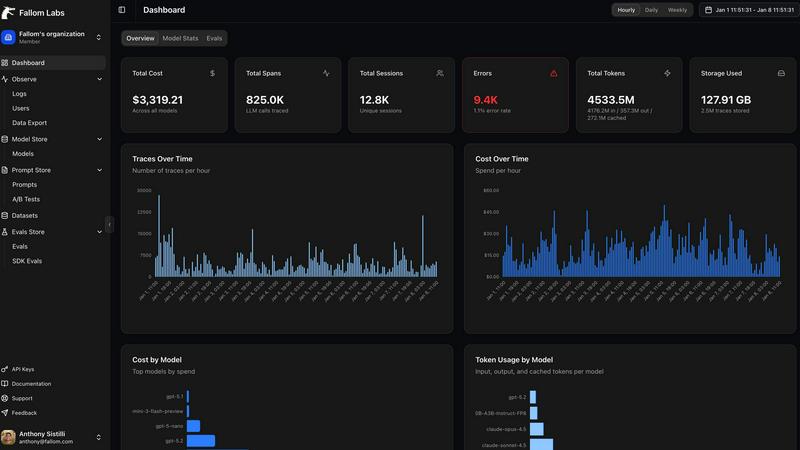
Alright, let's break it down. Fallom is like the ultimate control room for your AI chaos. If you're building with LLMs or AI agents, you know the vibe: stuff works in dev, then you ship to production and suddenly it's a black box of mystery calls, weird latencies, and surprise bills from OpenAI. Fallom fixes that. It's an AI-native observability platform built from the ground up to give you X-ray vision into every single LLM call happening in your apps. We're talking full end-to-end tracing that shows you the prompts, the outputs, the tool calls, the tokens, the latency, and even the exact per-call cost. It's designed for devs, product managers, and data science teams who are tired of flying blind and need a single source of truth for their AI ops. With a slick dashboard that serves up context by session, user, or customer, you can debug weird agent behavior in seconds, monitor live usage, and see exactly who or what is burning through your API budget. Plus, it's built on OpenTelemetry, so you can instrument your stack in, like, five minutes flat. And for the enterprise crowd sweating compliance? Fallom's got your back with audit trails, logging, model versioning, and consent tracking to keep you chill with regulations like GDPR and the EU AI Act. In short, it's your wingman for building reliable, cost-controlled, and high-performance AI applications.
About TrafficClaw
Your traffic dropped. Google Analytics says nothing useful. Search Console shows graphs. Cool. Now what? TrafficClaw lets you just ask - "Why did my traffic drop?" and actually get an answer. Backed by your real data, not some generic blog post advice. Connect GA4 + Search Console. Ask questions. Get fixes. That's it.