
PoYo API vs Prompt Builder
Side-by-side comparison to help you choose the right AI tool.

PoYo API
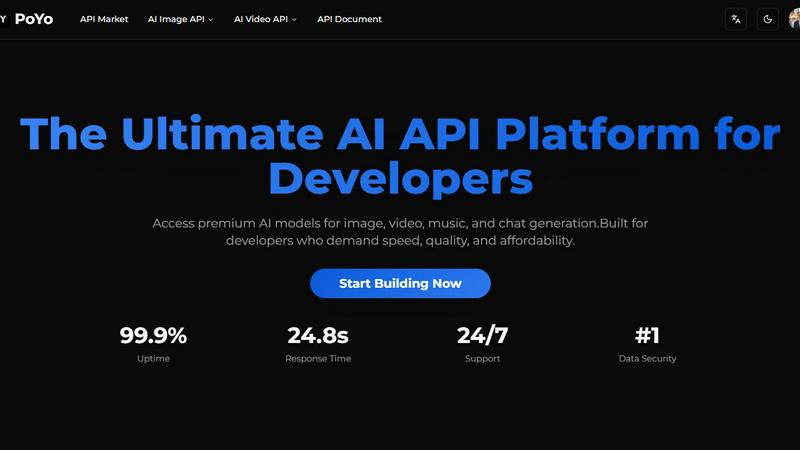
PoYo API lets devs unleash killer AI models for images, videos, music, and chat to build next-gen apps super fast.
Last updated: February 28, 2026

Prompt Builder
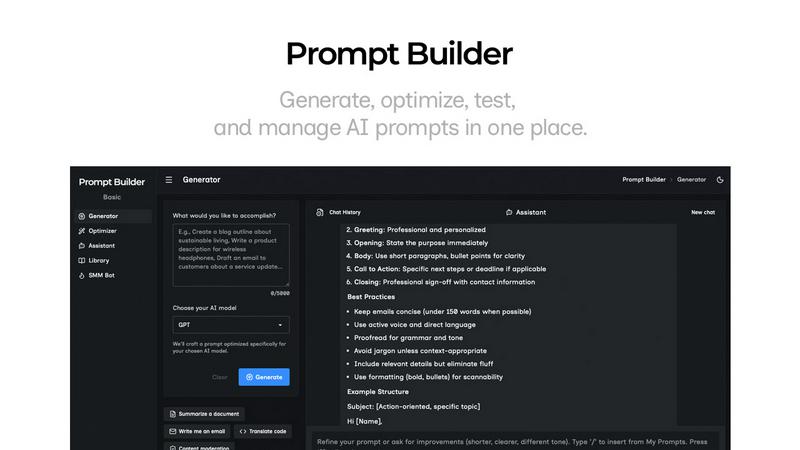
Generate, optimize, test, and manage AI prompts in one place. Turn an idea into a ready-to-use prompt in seconds.
Visual Comparison
PoYo API
Prompt Builder
Overview
About PoYo API
Yo, developers! Get ready to level up your AI game with PoYo API, the ultimate platform that throws over 500 premium AI models right at your fingertips. This API is a one-stop shop for image, video, music, and chat generation, tailored specifically for those who demand speed, quality, and affordability. Whether you're crafting the next big app or just playing around with AI tech, PoYo is here to simplify your life. With just one API key, you can access a treasure trove of models, like the high-flying Sora-2 and the funky Nano Banana, making it super easy to whip up cutting-edge applications. Forget about those annoying recurring subscriptions; PoYo's flexible credit-based pricing means you only pay for what you use. With robust enterprise-grade security, a jaw-dropping 99.9% uptime, and support that’s always on standby, PoYo API is all about making your development journey smooth and efficient. Dive in and start building the future of AI today!
About Prompt Builder
Prompt Builder is a prompt engineering workspace for writing, testing, and saving prompts. Describe the task in plain English, and it helps you create a prompt that matches the model you choose. Start with a draft, refine it in chat, save or pin versions, then run them when you are ready. It works with GPT, Claude, Gemini, Llama, Mistral, DeepSeek, Grok, Perplexity, and more. You also get an Optimizer, an assistant for quick tests, and a library of reusable prompts and templates from the community. Turn an idea into a ready-to-use prompt in seconds. Refine it in chat, save it to your Library, and run it anytime.