
Perkoon vs ScanNerd
Side-by-side comparison to help you choose the right AI tool.

Send files directly to anyone for free, no signup or shady business, just pure P2P magic.
Last updated: March 4, 2026

ScanNerd turns your PDFs and images into high-quality scanned copies for free, all without any hardware hassle.
Last updated: March 1, 2026
Visual Comparison
Perkoon

ScanNerd
Feature Comparison
Perkoon
Truly Unlimited P2P Transfers
This is the main event. When both you and your recipient are online, Perkoon creates a direct, peer-to-peer tunnel between your browsers. Your files zoom from point A to point B without ever stopping on a server in the middle. This means there are literally no file size limits, it's super private, and it costs Perkoon basically nothing in bandwidth. So they don't charge you for it. It's free as in beer, forever. Revolutionary? Apparently.
Honest Encrypted Cloud Storage
Need to send a file to someone who's asleep, offline, or just chronically slow to check links? Perkoon holds it for them with encrypted cloud storage. This is the paid part, and they're upfront about why: servers and bandwidth cost money. Your file is encrypted on their servers, and you pay a straightforward fee to cover those real costs, not to fuel some creepy data-mining ad empire. It's not a free lunch, but it's an honest transaction.
Native AI & Automation Ready
Perkoon lives in 2026, not 2006. They built a proper API into the website itself (window.__perkoon) so your AI assistants and automation scripts can interact with the service directly. No more pathetic DOM scraping like some ancient web bot. Your agents can send and receive files autonomously. It's file transfer built for the age of intelligent machines.
No-Account, No-BS Transfers
Tired of mandatory sign-up walls just to send a single file? Perkoon gets it. For P2P transfers, you don't need an account. At all. Just go to the site, drag your file, get a link, and send it. The recipient clicks, and the transfer starts. No email harvesting, no password creation, no "verification" nonsense. It's file transfer, not a marriage proposal.
ScanNerd
Instant Conversion
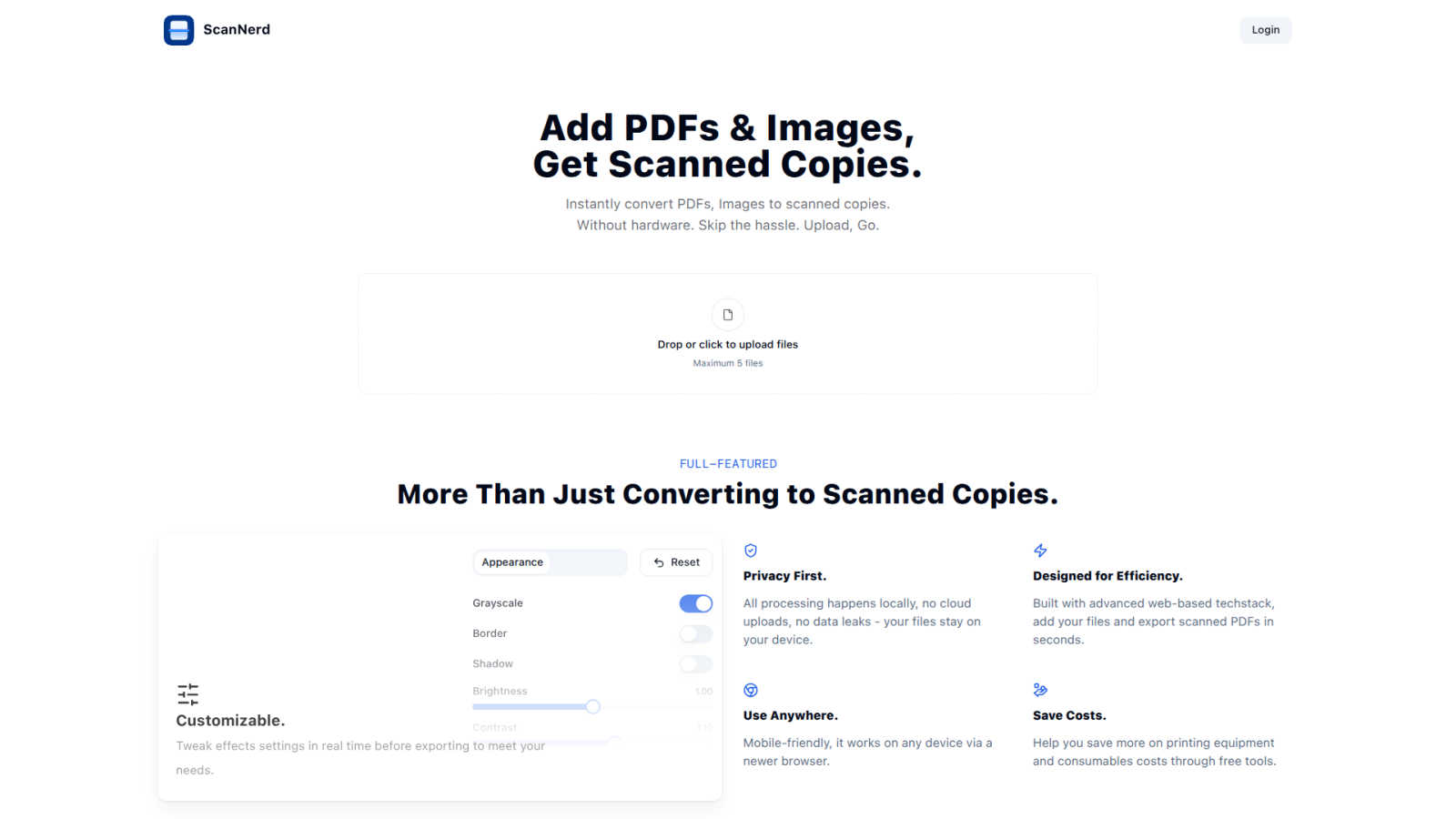
With ScanNerd, you can toss in up to 5 PDFs or images and watch the magic happen! The tool converts them into stylish scanned copies in just seconds. No waiting around, just instant results, making it perfect for those last-minute projects or reports.
Customizable Effects
Why settle for a basic scan when you can customize? Tweak settings like brightness, contrast, and even add a bit of blur or noise to achieve that perfect retro feel. Preview your adjustments in real-time so you can see exactly how your scans will turn out before you hit export.
Privacy First
ScanNerd takes your privacy seriously. All processing is done locally on your device, meaning no cloud uploads or data leaks. Your files are yours, and they stay on your device, safe from prying eyes.
Mobile-Friendly Design
No matter where you are, ScanNerd has got you covered. It works seamlessly on any device with a modern browser, so you can convert your documents on the go. Whether you’re on your phone or tablet, creating high-quality scanned copies is just a few taps away.
Use Cases
Perkoon
Sending Massive Project Files
Got a 80GB video project, 3D model, or raw dataset that makes every other service cry "limit exceeded!" and demand your credit card? With Perkoon's P2P mode, you just drag, drop, and send the link. The other person opens it, and the data flows directly to them. Unlimited size, zero cost. It's what cloud services promised before they got greedy.
Collaborating with Privacy-Conscious Clients
Working with lawyers, journalists, activists, or just people who value their privacy? You can assure them that with a P2P transfer, their sensitive documents, contracts, or evidence never sits on a third-party server. The transfer is a direct line between you two. No middleman, no scanning, no "data for product improvement." Just the file.
Automating Workflows with AI Agents
Is your AI assistant handling file collection or distribution? Instead of trying to teach it to click buttons on a website, point it at Perkoon. With its native API, your agent can programmatically send and receive files as part of an automated pipeline. Perfect for developers, researchers, or anyone who uses bots to get real work done.
The Occasional "Hey, Can You Send Me That?" File
Forget signing into your bloated cloud drive to share a vacation video, a bunch of photos, or a PDF. Just pop open Perkoon, drag the file over, and text the link. Your friend clicks it, and it downloads. It's faster than finding your login details for that other service you never wanted an account for in the first place.
ScanNerd
Student Projects
Students can easily convert their essays, research papers, and presentations into scanned documents that look polished and professional. Impress your professors with that sleek, high-end scanner vibe without the hassle.
Professional Reports
For professionals needing to send out documents that stand out, ScanNerd makes it easy to convert reports into stylish scanned PDFs. Make your files look crisp and sharp, helping you maintain that professional image.
Retro Vibe for Social Media
Want to give your photos or designs a vintage touch for your social media? Use ScanNerd to convert your images into scanned copies that add a unique flair to your posts. Stand out from the crowd with that nostalgic look!
Quick Document Sharing
Need to send a quick document but want it to look legit? Scan your PDFs or images using ScanNerd, and share them instantly. It’s fast, easy, and ensures your files look their best, no matter the context.
Overview
About Perkoon
Alright, let's cut the corporate fluff. Perkoon is the file transfer service that actually respects you and your data. It's for anyone who's tired of being nickel-and-dimed, forced to sign up, or treated like a product by services that scan and sell your stuff. You know the ones. Perkoon gets back to the actual point: moving your files from A to B without the circus. It does this with two brutally honest modes. First, the flagship free P2P transfer that beams files directly between browsers. No size limits, no accounts, and because the data never even touches Perkoon's servers, it's private and costs them nada to run. So it's free for you, forever. No catch. For sending to someone who's offline, there's encrypted cloud storage—a paid feature that just covers their server costs, no profit-gouging. But here's the kicker: Perkoon is built for the future. It has native tools so your AI agents and automation scripts can use it directly, no janky screen-scraping required. With a simple CLI too, it's the straightforward, powerful, and privacy-focused transfer tool for real people and the bots that work for them.
About ScanNerd
ScanNerd is your ultimate sidekick for giving your digital documents that oh-so-classic scanned look without the need for any fancy hardware. Imagine converting your PDFs and images into scans that look like they came straight from a high-end scanner, all while chilling on your device. No uploads, no sign-ups, and definitely no annoying interruptions. Whether you're a student trying to jazz up a project, a professional sending out reports, or just someone who wants to add a retro vibe to their digital files, ScanNerd is here to save the day. It's designed for efficiency, working its magic in mere seconds while keeping your documents safe and sound on your device. Plus, it’s a total game-changer for anyone looking to save money on printing costs, making it a must-have tool in your digital arsenal. Say goodbye to the old-school scanning hassles and hello to the future of document conversion with ScanNerd!
Frequently Asked Questions
Perkoon FAQ
Is the P2P transfer really free forever?
Yes, for real. The P2P technology sends files directly between browsers. Since the data never passes through Perkoon's servers, it doesn't cost them meaningful bandwidth or storage. They're not being altruistic idiots; they're just not charging you for a service that costs them nothing to provide. So it stays free. That's the whole deal.
What happens if the other person is offline?
If your recipient isn't online to catch the direct P2P transfer, Perkoon offers encrypted cloud storage as a backup. This is a paid feature because, unlike P2P, holding files on a server actually costs money. You pay a small, honest fee for the server space and bandwidth until your recipient is ready to download it.
Can Perkoon see what I'm sending with P2P?
Nope. Literally impossible. In a P2P transfer, the file data streams directly from your browser to the recipient's browser over a secure connection. It's like passing a note directly hand-to-hand. Perkoon's servers only help set up the introduction; they never see the contents of the note itself. They can't scan, sell, or look at your data.
Can my AI agent or scripts use Perkoon?
Absolutely, and it's encouraged. Perkoon is built with a native API (window.__perkoon) exposed on the web client specifically so AI agents and automation tools don't have to fake being a human by scraping the website. Your bots can interact with the service programmatically for sending and receiving files. Agent clearance this way.
ScanNerd FAQ
What's the difference from printing and scanning?
Scanning using ScanNerd creates a digital copy that mimics the look of a printed scan, while printing physically outputs a document on paper. ScanNerd keeps everything digital and stylish, no paper mess involved.
Is it free?
Absolutely! ScanNerd is a free tool, making it accessible for everyone who needs to convert their documents without shelling out cash for expensive hardware.
Which files can be scanned?
ScanNerd supports a variety of file types, mainly focusing on PDFs and images. You can easily upload these formats and convert them into beautifully styled scanned copies.
Is there a file size limit?
Yes, when using ScanNerd, you can upload a maximum of 5 files at a time. However, there are no specific limitations mentioned regarding the size of individual files, making it flexible for your needs.
Alternatives
Perkoon Alternatives
Alright, so you've heard about Perkoon, the no-BS file transfer tool that's basically the digital equivalent of handing someone a USB stick, but way cooler. It lives in that sweet spot of productivity tools that just get the job done without all the fluff—no sign-ups, no weird limits, just moving your stuff from A to B. People might go hunting for other options for a bunch of reasons. Maybe they need something that works on a specific platform Perkoon doesn't, or they're looking for a different mix of free vs. paid features. Sometimes you just wanna shop around, you know? It's like trying a new coffee shop even though your usual spot is fire. When you're on the lookout, think about what really matters to you. Is it all about that pure, uncut privacy? Or do you need a tool that plays nice with your other apps? Maybe you just want the simplest thing possible that won't make you create yet another account you'll forget. Figure out your non-negotiables first.
ScanNerd Alternatives
ScanNerd is a nifty tool that fits snugly in the design tools category, helping users effortlessly convert their PDFs and images into high-quality scanned copies. It’s like having a scanner in your pocket, minus the bulky hardware. Users often seek alternatives for various reasons such as wanting different features, needing specific platform compatibility, or simply searching for budget-friendly options. When you’re on the hunt for an alternative, consider what features matter most to you, the ease of use, and whether it meets your privacy and security standards. Choosing the right alternative means looking for user-friendliness, local processing capabilities, and a solid reputation for security. After all, nobody wants to compromise on their private files. So, whether you’re a student needing quick document conversion or a professional looking to enhance your presentations, finding a tool that ticks all your boxes will make your life a whole lot easier.